UniLiveActivities — Live Activities for Unity in minutes, not weeks
UniLiveActivities is a Unity package that brings iOS Live Activities, Dynamic Island, and Lock Screen updates to your game — driven from C#, with no Swift or WidgetKit stack to maintain.
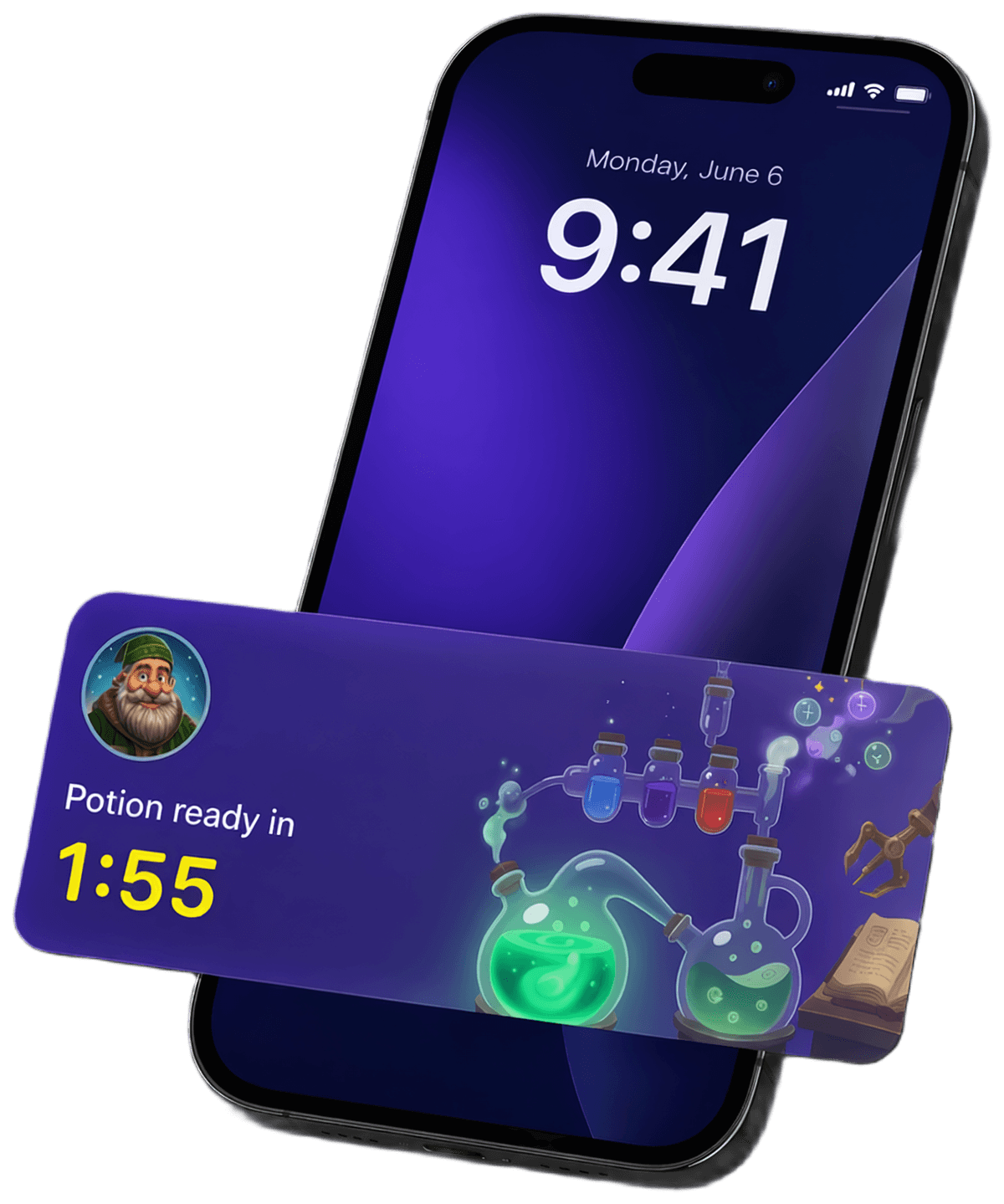
Turn the Lock Screen into your return channel
The same cohort, measured two ways. A live timer on the Dynamic Island and an energy bar on the Lock Screen keep players one tap away — and day-N retention shows it.
Cohort: 10,000 installs · iOS
Day-N retention, measured
| Metric | D1 | D7 | D14 | D21 | D28 |
|---|---|---|---|---|---|
| Without | 42% | 18% | 11% | 8% | 5% |
| With | 42% | 28% | 21% | 17% | 15% |
| Δ lift | +0pp | +10pp | +10pp | +9pp | +10pp |
Baseline — passive reminders
- Scheduled pushes get muted, swiped, or ignored.
- No signal between sessions — players forget to come back.
- Return depends on memory, not on the device.
With UniLiveActivities — live status loop
- Energy, timers, quests — live on the Lock Screen and Dynamic Island.
- One tap jumps back to the exact screen they left.
- Built-in FOMO every time the phone lights up.
15% vs 5% of the cohort still opening the game after 4 weeks.
Live timers pull players back between scheduled sessions.
Timed rewards get tapped before they expire.
Directional benchmarks based on comparable Live Activity deployments in F2P mobile games. Numbers shown are a modeled cohort; your mileage will vary — we'll help you measure it.
Engineered for simplicity
Stay in C# and Unity. Ship Live Activities with editor-native tooling and a tight runtime API—fewer platform rabbit holes, more time in your game loop.
No native code
Stay in C# and Unity. No Swift or WidgetKit stack to own—wire surfaces from the Editor and drive them from your gameplay scripts.
Ready-to-use templates
Pre-built visual paths for timers, status copy, and post-countdown end states—tune in the Editor instead of hand-authoring widget layouts.
Unity-ready
Ready-to-use Editor tools to construct and validate Live Activity features, export widget assets, and patch the generated Xcode project after every iOS build—registry through post-build in one toolchain.
Predictable API
Use the feature ids you registered in the Editor: compose requests with the fluent builder, await `StartAsync`, and work with typed results—the same small C# surface for every feature.
Use cases
Every pattern below is a timer, a final state, and a deep link — fully covered by the public API you already have.
Energy & stamina
Countdown to full energy on the Lock Screen and Dynamic Island. When it hits zero — "Energy full, tap to play" — one tap back into the run.
Build & craft timers
"Barracks ready in 14:32" ticking live, then flipping to "Ready to collect". The core Supercell-style loop, visible without opening the game.
Limited-time events & sales
"Halloween event ends in 02:11:45" — a real countdown that always sits on the Lock Screen, so LiveOps urgency lands without another push.
Daily & season rewards
"Daily rewards in 5:22:10" → "Claim your daily chest". Brings players back into the daily window even when push permission was never granted.
A lightweight fluent builder — start a Live Activity in one expression
-
Configure
Open the Features Registry, add a feature id, set colors and assets, validate, and export widget assets.
-
Call StartAsync
Build a
UniLiveActivityStartRequestwith the fluent API and awaitUniLiveActivities.StartAsync. -
Ship
Build iOS from Unity, run on device, and your Live Activity shows on the Lock Screen and Dynamic Island.
var request = UniLiveActivity
    .ForFeature("Tournament")
    .WithTitle("Tournament ends in")
    .EndingIn(TimeSpan.FromMinutes(60))
    .AutoEnd()
    .Build();

var result = await UniLiveActivities.StartAsync(request);
Unity editor tools — register, style, and preview every Live Activity
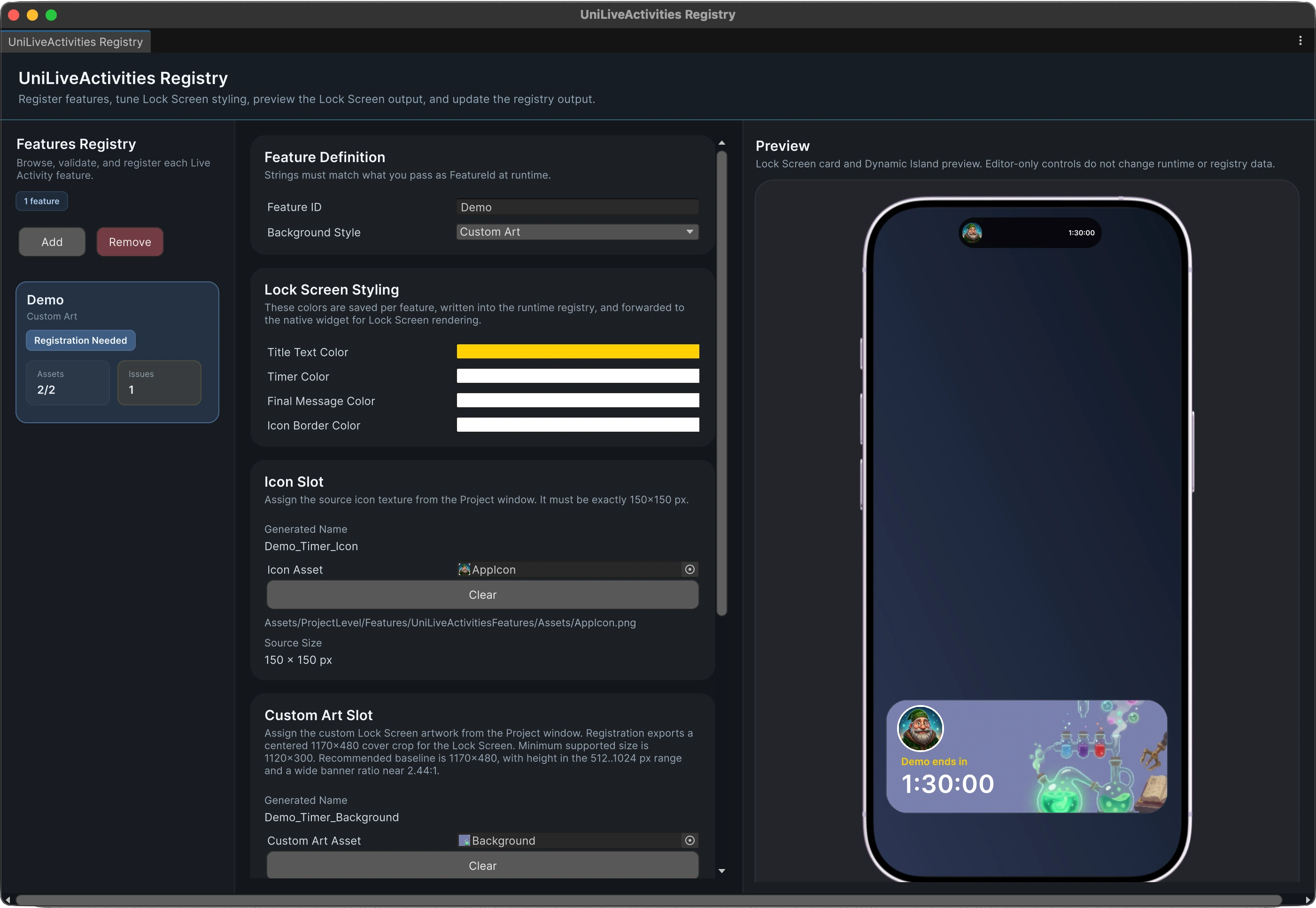
UniLiveActivities ships with a dedicated Registry window inside the Unity Editor. Define feature IDs, pick background styles, tune Lock Screen colors, assign icons and custom art, and see the result in a built-in Lock Screen and Dynamic Island preview — all without leaving Unity.
-
Features Registry
Register every Live Activity you ship — each feature is validated before build and exported into the runtime registry.
-
Per-feature styling
Title, timer, final message, and icon border colors are saved per feature and forwarded to the native Lock Screen widget.
-
Assets, validated
Drop in the 150×150 icon and the Lock Screen banner; the editor checks sizes, aspect ratio, and export paths for you.
-
Live preview
Lock Screen card and Dynamic Island render right next to your config, so you can iterate without a device build.
FAQ
How long does integration usually take?
In most cases, you can get the first version working in around 10 to 15 minutes.
Do I need to write Swift?
No. The point of UniLiveActivities is that you work from Unity and C# instead of maintaining your own Swift bridge.
Does it support Dynamic Island too?
Yes. UniLiveActivities covers both Live Activities on the Lock Screen and Dynamic Island on supported iPhones.
Are you planning anything for Android?
Yes. A separate Android package is currently in development.